Screen vs Monitor vs Display: What’s the Difference? 🖥️📱📺
The confusion around Screen vs Monitor vs Display is something almost everyone experiences when talking about devices like phones, laptops, TVs, and computers. Have you ever heard someone say, “Look at your screen,” while another says, “Turn on your monitor,” and someone else mentions “the display looks great”? 🤔 These words are often used interchangeably in daily life, even though they are not exactly the same.
The mix-up happens because technology has evolved rapidly. In the past, most people only used desktop computers, so the word monitor was common. Today, we interact with smartphones, tablets, laptops, smart TVs, and wearable devices—so terms like screen and display are now everywhere.
Understanding Screen vs Monitor vs Display is important because each word has a slightly different meaning depending on context. Using the correct term improves clarity in communication, especially in professional writing, tech discussions, and product descriptions.
This guide breaks everything down in simple US English so you can confidently understand and use these terms correctly in any situation.
Quick Answer: Screen vs Monitor vs Display
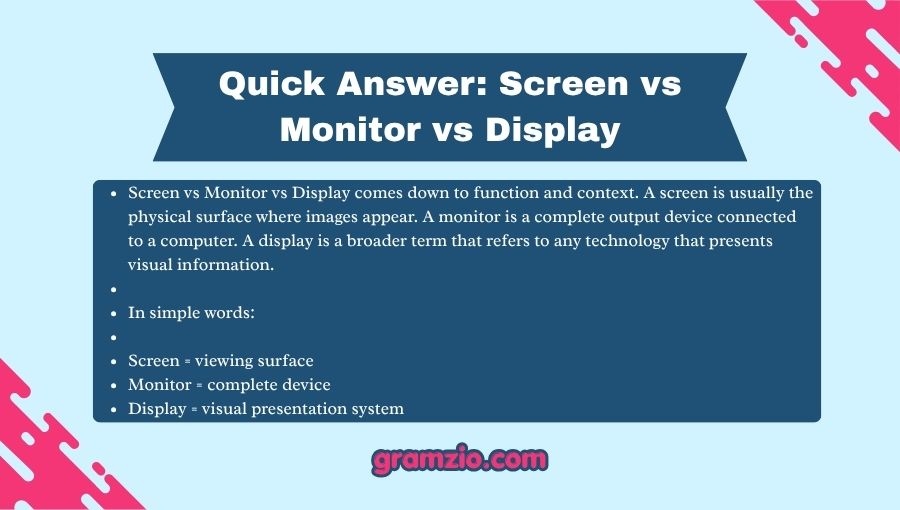
Screen vs Monitor vs Display comes down to function and context. A screen is usually the physical surface where images appear. A monitor is a complete output device connected to a computer. A display is a broader term that refers to any technology that presents visual information.
In simple words:
- Screen = viewing surface
- Monitor = complete device
- Display = visual presentation system
Understanding the Basics: Screen vs Monitor vs Display
Although these terms overlap, each has a specific meaning.
| Form | Type | Meaning | Example | Correct/Incorrect |
|---|---|---|---|---|
| Screen | Surface/component | Physical area showing images | Phone screen cracked | ✅ Correct |
| Monitor | Device | Hardware output unit for a computer | Buy a gaming monitor | ✅ Correct |
| Display | General concept | Technology presenting visuals | OLED display | ✅ Correct |
| Screen | Device | Entire computer monitor | “I bought a new screen” | ⚠ Context dependent |
| Monitor | Surface only | Just the viewing glass | “Touch the monitor carefully” | ❌ Usually inaccurate |
The confusion occurs because people often shorten or generalize words in daily speech.
Correct Meanings & Uses
What Does “Screen” Mean? 📱
A screen is the visible surface where images, text, or videos appear.
Examples:
✅ The phone screen has fingerprints.
✅ My laptop screen is cracked.
✅ The movie looked amazing on the large screen.
Sentence breakdown:
- phone = device
- screen = visual surface
The screen is usually only one part of a larger device.
Test Tip ✅
If you can physically point to the viewing surface itself, screen is often correct.
What Does “Monitor” Mean? 🖥️
A monitor is a complete hardware device that displays information from a computer.
Examples:
✅ I bought a new gaming monitor.
✅ The monitor supports 4K resolution.
✅ Connect the monitor with an HDMI cable.
Sentence breakdown:
- Computer accessories are discussed
- Hardware unit is the focus
A monitor includes:
- screen panel
- casing
- ports
- electronics
- stand
The screen is only one component inside a monitor.
Test Tip ✅
If you’re discussing buying, connecting, or replacing a computer device, use monitor.
What Does “Display” Mean? 📺
Display is broader and more technical.
It refers to any system that presents visual information.
Examples:
✅ This smartwatch has an AMOLED display.
✅ The display brightness adjusts automatically.
✅ The display quality is impressive.
Sentence breakdown:
Display may refer to:
- monitor technology
- smartphone technology
- dashboard systems
- television panels
- digital signs
Test Tip ✅
If talking about visual technology generally, display usually works best.
Case Study Section
Imagine this workplace conversation:
Employee: “My monitor is broken.”
IT Manager: “What happened?”
Employee: “There is a crack across the front.”
IT Manager: “Do you mean the monitor or the screen?”
Employee: “Actually, only the screen is damaged.”
Notice the difference.
If only the glass panel cracked, replacing the screen might solve the issue.
If the entire device stopped functioning, the monitor itself may need replacement.
Precise wording saves time and reduces confusion. 💡
Grammar Rules Explanation
According to language and dictionary authorities such as Merriam-Webster, words evolve through usage and context.
The distinction exists because these terms belong to different categories:
- Screen → object component
- Monitor → hardware device
- Display → broader presentation term
Grammar is not just about sentence structure. Vocabulary precision matters too.
For example:
Incorrect:
❌ My monitor protector cracked.
Correct:
✅ My screen protector cracked.
Why?
A protector covers the viewing surface, not the entire monitor.
Common Mistakes
People mix these words for several reasons.
Reasons include:
⌨️ Fast typing
📱 Autocorrect
📚 Limited technical knowledge
💬 Everyday informal speech
🖥️ Device terminology overlap
Common examples:
❌ My monitor on my phone is broken.
✅ My phone screen is broken.
❌ Increase your monitor brightness on your phone.
✅ Increase your display brightness.
Similar Grammar and Word Confusions
| Confusion | Correct Difference |
|---|---|
| its / it’s | Possession vs contraction |
| your / you’re | Possession vs “you are” |
| affect / effect | Verb vs noun |
| than / then | Comparison vs sequence |
| screen / monitor | component vs device |
| monitor / display | hardware vs visual system |
These mistakes happen because English often contains closely related words.
Usage in Different Contexts
Everyday Conversation 💬
People often use the words loosely.
Examples:
- Look at my phone screen.
- I need a second monitor.
- This display is bright.
Informal speech allows flexibility.
Professional Writing 💼
Professional communication requires precision.
Examples:
✅ Install dual monitors in the office.
✅ Replace damaged laptop screens.
✅ Adjust display settings.
Specific language avoids misunderstandings.
Creative Writing ✍️
Writers use context and imagery.
Example:
“The glowing screen illuminated his face in the dark room.”
Screen works better because readers imagine the visible surface.
Social Media and Texting 📲
Online users frequently shorten terms.
Examples:
- My screen froze 😭
- New monitor setup 🔥
- Amazing display quality
Social media usually favors shorter expressions.
Why It Matters (Important)
Choosing between Screen vs Monitor vs Display improves communication in many ways.
Clarity
People understand exactly what you mean.
Professionalism
Correct terminology creates credibility.
Writing Accuracy
Precise vocabulary improves digital communication.
Better Technical Conversations
Small wording differences reduce mistakes.
Consider this quote:
“Clear communication begins with clear words.”
That applies strongly to technology language.
Special Exception
Sometimes brands blur these distinctions.
For example:
Apple frequently uses names like:
- Retina Display
- Liquid Retina Display
- Pro Display
These are marketing names rather than strict grammar categories.
Likewise, television manufacturers may describe screens as displays.
Technology branding occasionally changes usage expectations.
Quick Recap Checklist
| Question | If Yes → Use |
|---|---|
| Are you talking about the visible surface? | Screen |
| Are you discussing a computer hardware unit? | Monitor |
| Are you discussing visual technology generally? | Display |
| Are you discussing brightness technology? | Display |
| Is it a desktop accessory? | Monitor |
Practice examples:
- I bought a new ______ for my gaming PC.
Answer: monitor
- My phone ______ cracked.
Answer: screen
- The laptop has a high-resolution ______.
Answer: display
FAQs: Screen vs Monitor vs Display
Is a screen the same as a monitor?
No. A screen is usually the viewing surface, while a monitor is the complete device.
Can I say “computer screen”?
Yes. This is very common and grammatically acceptable because people often refer to the visible part.
Why do companies use “display” so often?
Display is broader and sounds more technical. It also fits many products.
Is a TV a monitor?
Sometimes. A television can function as a monitor if connected to a computer.
Which term is most professional?
The best term depends on context. Technical discussions often require monitor or display instead of screen.
Why do people confuse these words?
Because the meanings overlap in everyday speech and technology keeps evolving.
Conclusion
The difference between Screen vs Monitor vs Display may seem small, but understanding it improves both communication and writing. A screen is generally the visible surface. A monitor is the complete hardware device. A display is the broader visual technology system.
Many people casually mix these words, and in everyday conversation that is often acceptable. However, using the right term creates better clarity, stronger professionalism, and more accurate communication.
The next time someone says these words interchangeably, you’ll know exactly what each one means. 🖥️✨
Small words create big differences—and precise language always makes communication stronger.
Also read: Too Early vs To Early

Hi, I’m Elara Quinn. Working at gramzio.com, I use my 8 years of experience in linguistics to simplify difficult English rules, making them accessible and easy to learn for our global community.